
The operational problem
Pilots regularly move between UTC, local time, elapsed durations, and next-day clock values. Extra mental effort is often needed when working with half-hour UTC offsets, making routine aviation time arithmetic harder than it needs to be.
The About Flying time tools give pilots one consistent place to check local time, prepare passenger announcements, and complete logbook entries.
Inputs and output
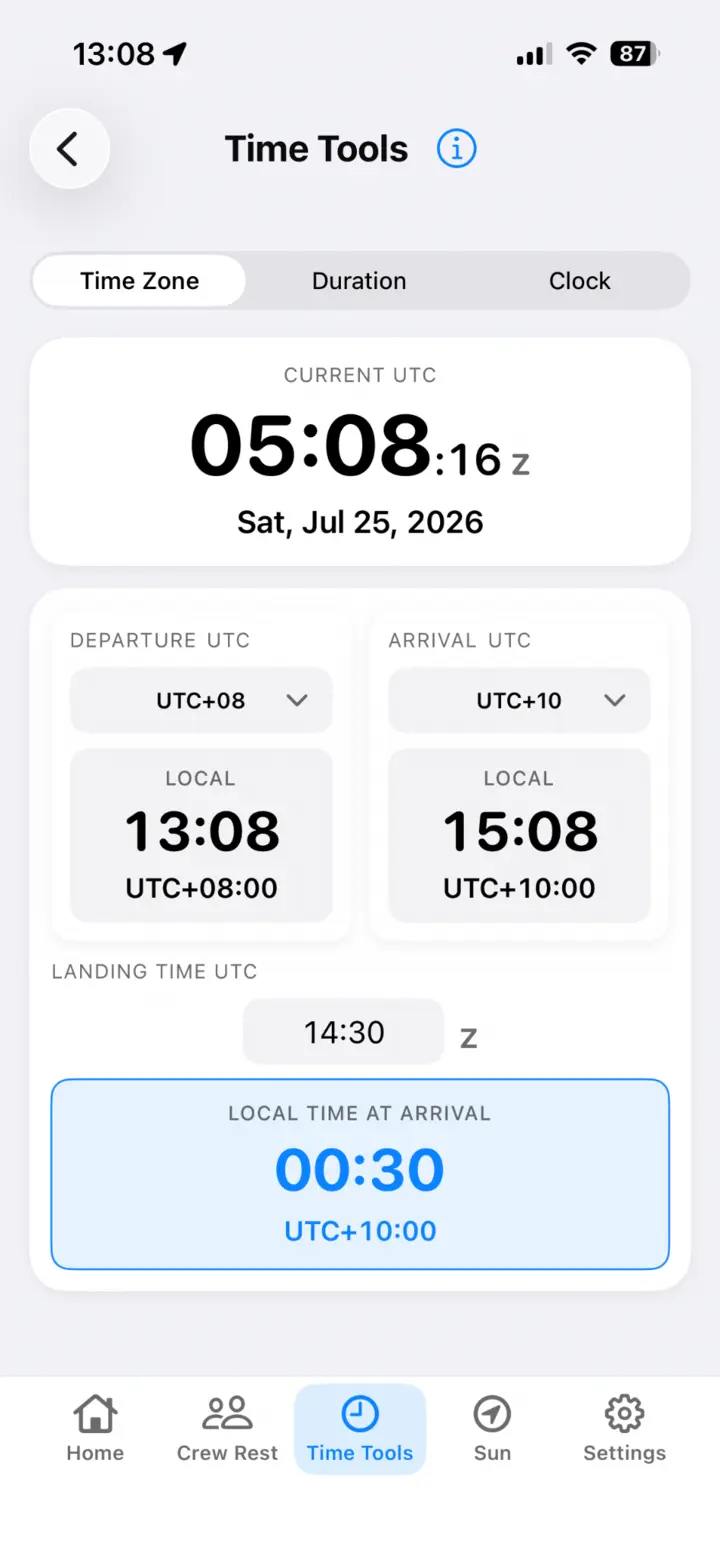
Choose Time Zone, Duration, or Clock mode, then enter the time values and UTC offset relevant to the task. The result is displayed as a clear 24-hour value or elapsed duration.
- UTC and local-time conversion using the offset you enter
- Addition and subtraction of hours and minutes
- Duration between two clock times, including midnight rollover
Why offline use matters
Calculations run locally on the iPhone, with no account or network request. The same tool remains available at the gate, on the flight deck, and in flight when connectivity is unavailable.
Example calculation
A flight departs at 23:40 UTC with a planned duration of 12 hours 25 minutes, arriving at 12:05 UTC the following day. With the arrival offset set to UTC+8, Time Zone converts the arrival to 20:05 local time. The pilot can then announce the local arrival time to passengers.
Important limitations
UTC offsets and input times must be correct. Local civil-time rules can change, and the app does not replace the current operational flight plan, dispatch information, company procedures, or an authoritative time-zone source. Review important results before use.
Aviation time calculator FAQ
Can it calculate across midnight?
Yes. Clock and duration workflows are designed for 24-hour aviation times and day rollover.
Does it look up a location’s current UTC offset?
The workflow uses the offset entered by the pilot. Verify that offset against a current authoritative source when local-time rules matter.
Are calculations sent to a server?
No. Core time calculations run on the device and do not require an account.