
The operational problem
On an augmented flight, a rest sequence has to be easy to calculate, brief, and revisit later. Handwritten arithmetic and differently formatted notes make it harder for the crew to confirm who rests when, especially after the schedule changes.
The crew rest planner is designed for commercial pilots who already have the approved operational plan and need a readable way to arrange and follow its rest periods.
Inputs and output
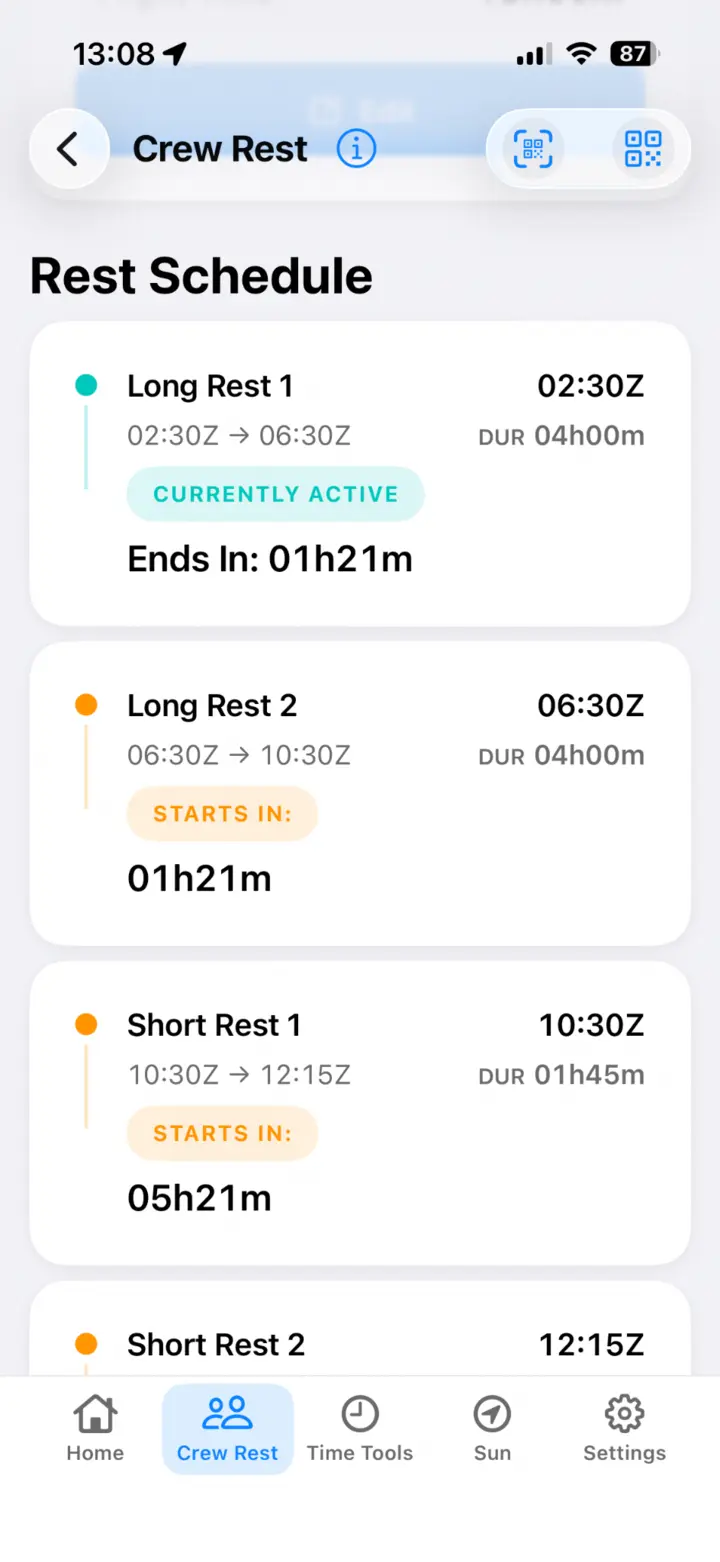
Choose the applicable three-pilot, four-pilot, or split-rest pattern and enter the relevant flight and rest timings. About Flying produces an ordered schedule with each rest block, the active period, and a live countdown.
- Clear rest start and end times
- Active and upcoming rest blocks at a glance
- Configurable changeover gaps between rest periods
- QR sharing and import for a consistent crew briefing
Why offline use matters
The schedule is calculated on the iPhone. No account, calculation server, or in-flight connection is required, so the working plan remains available when connectivity is limited or unavailable.
Example workflow
A four-pilot crew agrees on the rest window and pattern during the briefing. One pilot enters the timings, reviews the generated blocks with the crew, and shares the same plan by QR code. During the flight, the active-rest countdown makes the next handover easy to find without repeating the arithmetic.
Important limitations
About Flying organises the inputs you provide; it does not determine regulatory legality or approve a crew rest plan. Check every schedule against current regulations, company manuals, standard operating procedures, dispatch instructions, and the plan agreed by the operating crew.
Crew rest planner FAQ
Does the planner work without internet access?
Yes. Core crew rest calculations and saved working state run on the device.
Does it decide which rest pattern is legal?
No. The pilot selects the appropriate pattern and timings using current approved sources and procedures.
How is a plan shared?
The app can display a QR code that another About Flying device can scan and import. The QR payload is processed on-device.